Best Monitor for RTX 5070: 5 Screens for 1440p, 4K and Ultrawide (2026)
Quick answer: The Gigabyte MO27Q28G is the best monitor for the RTX 5070: a 1440p 280Hz tandem OLED with deep blacks, bright HDR highlights and near-instant response, at a resolution the card runs at high frame rates. The ASUS TUF Gaming VG27AQM5A is the 300Hz pick for competitive games on a budget, the KTC M27T6S brings Mini-LED HDR to 1440p for less, the MSI MAG 274UPDF E16M is the 4K choice and the Alienware AW3425DWM is the ultrawide.
We earn a commission when you buy through links on this page, at no extra cost to you. Brands can't pay to be ranked. How we review products
The GeForce RTX 5070 is at its best at 1440p, where it runs most games at high frame rates with room to spare, and DLSS 4 stretches it to 4K and ultrawide screens. It also has plenty of display connections: three DisplayPort 2.1b outputs and an HDMI 2.1b port, enough for any monitor sold today and up to four at once. That makes the choice of monitor mostly about resolution, refresh rate and panel type. These five cover the options that suit the card best, from a fast 1440p OLED and a 300Hz esports screen to Mini-LED HDR, 4K and a curved 34-inch ultrawide, and the guide below explains the RTX 5070's monitor requirements and how to set it up.
This guide is for anyone pairing a monitor with an RTX 5070, whether you're building a new PC or upgrading an old screen. For the rest of the build, see our best CPU for RTX 5070, best motherboard for RTX 5070 and best PSU for RTX 5070 guides.
Best monitors for the RTX 5070 at a glance
 Best for esportsCheck price
ASUS TUF Gaming VG27AQM5A
A 1440p 300Hz Fast IPS screen for competitive games at a budget price.
Best monitors for the RTX 5070 compared
Three 1440p screens, one 4K and one ultrawide. Connect each to the RTX 5070 with DisplayPort for its full refresh rate.
| Monitor | Best for | Size / panel | Resolution | Refresh rate | HDR | Ports |
|---|---|---|---|---|---|---|
 |
Overall | 27in tandem OLED | 2560 x 1440 | 280Hz | True Black 500 | 2x HDMI 2.1, DP 1.4 |
 |
Esports | 27in Fast IPS | 2560 x 1440 | 300Hz | HDR10 | 2x HDMI 2.1, DP 1.4 |
 |
HDR value | 27in Mini-LED IPS | 2560 x 1440 | 200Hz (210Hz OC) | DisplayHDR 1000 | DP 1.4, 2x HDMI 2.0 |
 |
4K | 27in Mini-LED IPS | 3840 x 2160 | 160Hz (320Hz FHD) | DisplayHDR 1000 | 2x HDMI 2.1, DP 1.4a, USB-C |
 |
Ultrawide | 34in curved VA | 3440 x 1440 | 180Hz | DisplayHDR 400 | 2x HDMI 2.1, DP 1.4 |
The 5 best monitors for the RTX 5070 reviewed
Ranked by how well each monitor suits the RTX 5070: the resolution and refresh rate the card can drive, picture quality, motion and price.
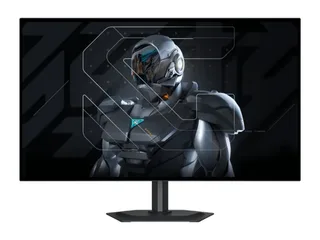
1Gigabyte MO27Q28GBest monitor for RTX 5070 overall
A 1440p 280Hz tandem OLED with deep blacks and bright HDR.

Our score
- Picture quality
9.4 9.4- Gaming speed
9.6 9.6- Value
8.4 8.4
Best for: RTX 5070 owners who want the best picture at 1440p for both fast shooters and HDR single-player games.
Gigabyte's MO27Q28G is the best monitor for an RTX 5070 because it matches the card's strengths with a superb picture. It uses one of LG's fourth-generation Primary RGB Tandem WOLED panels at 2560 x 1440 and 280Hz, a resolution where the RTX 5070 runs most games at high frame rates, with a 0.03ms response time that keeps motion sharp. The tandem panel is unusually bright for an OLED, rated for 1,500 nits peak in its HDR Peak 1500 mode and certified for DisplayHDR True Black 500, and it covers 99.5% of the DCI-P3 color space. A matte anti-reflection coating handles room light well, it's G-SYNC Compatible with an OLED VRR anti-flicker mode, and it adds two HDMI 2.1 ports, DisplayPort 1.4, USB-C, a KVM switch and a height-adjustable stand. Its three-year warranty covers burn-in, and reviewers gave it top awards at around $550 to $600.
Some users reported it was the best monitor in its class for the money and that a firmware update reduced banding in dark gradients, while others still saw some banding, a slightly grainy look on plain backgrounds and VRR flicker. Reviewers also found colored fringes around text from the OLED subpixel layout, a red tint in some gray tones and a small risk of burn-in with static content. For gaming on an RTX 5070, though, nothing here matches its blend of speed, contrast and HDR.
Reasons to buy
- Perfect blacks and very bright HDR highlights
- 280Hz with near-instant response
- Height-adjustable stand and 3-year burn-in cover
Reasons to avoid
- Text shows colored fringes
- Some gray tones have a red tint
- Banding varies between units
Specifications
- Screen
- 27-inch class 4th-gen tandem WOLED, matte
- Resolution
- 2560 x 1440 (QHD)
- Refresh rate
- 280Hz, 0.03ms GtG
- Sync
- G-SYNC Compatible, VRR anti-flicker
- Color / HDR
- 99.5% DCI-P3, DisplayHDR True Black 500, 1,500 nits peak
- Ports
- 2x HDMI 2.1, 1x DisplayPort 1.4, USB-C
Buy it if...
- You play a mix of shooters and HDR games Its 280Hz refresh rate and instant response suit fast games, and its OLED panel makes HDR scenes pop.
- You game in a bright room Its matte anti-reflection coating and tandem OLED brightness handle daylight better than older OLEDs.
Don't buy it if...
- You spend hours on static desktop work Text fringing and the small burn-in risk make the KTC M27T6S a better fit for heavy office use.
- You want 4K detail The MSI MAG 274UPDF E16M is sharper, and the RTX 5070 can drive it with DLSS.
Bottom line: The monitor that shows off an RTX 5070 best: a fast, bright 1440p OLED at a resolution the card runs at high frame rates.
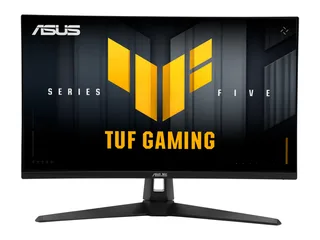
2ASUS TUF Gaming VG27AQM5ABest 300Hz monitor for RTX 5070
A 1440p 300Hz Fast IPS screen for competitive games at a budget price.

Our score
- Picture quality
7.6 7.6- Gaming speed
9.4 9.4- Value
9.2 9.2
Best for: Competitive players who want the highest refresh rate at 1440p without spending OLED money.
ASUS's TUF Gaming VG27AQM5A is the monitor for RTX 5070 owners who mostly play competitive games. Its 27-inch Fast IPS panel runs at 2560 x 1440 and 300Hz with a 0.3ms minimum gray-to-gray response time, and the RTX 5070 can reach those frame rates in esports titles, especially with one of the X3D processors from our RTX 5070 CPU guide. ASUS's ELMB Sync combines backlight strobing with variable refresh rate for sharper motion, the monitor is G-SYNC Compatible, and it covers 95% of the DCI-P3 color space for richer color than older esports screens. It has two HDMI 2.1 ports and DisplayPort 1.4, and it usually sells for around $270 to $300.
Some users reported that the jump from a 1080p 144Hz monitor was night and day and praised its build quality, and another owner called it budget friendly and worth it for 300Hz. Its limits are typical of IPS: blacks look gray in a dark room, HDR is a basic HDR10 mode with 300 nits, and the stand only tilts and swivels, so you may want a monitor arm. For fast, competitive gaming on a budget, it's the one to get.
Reasons to buy
- 300Hz at 1440p for a low price
- ELMB Sync for sharper motion
- Wide 95% DCI-P3 color
Reasons to avoid
- Tilt and swivel only, no height adjustment
- HDR is basic
- IPS blacks look gray in a dark room
Specifications
- Screen
- 27-inch Fast IPS
- Resolution
- 2560 x 1440 (QHD)
- Refresh rate
- 300Hz, 0.3ms GtG (min.)
- Sync
- G-SYNC Compatible, ELMB Sync
- Color / HDR
- 95% DCI-P3, HDR10, 300 nits
- Ports
- 2x HDMI 2.1, 1x DisplayPort 1.4
Buy it if...
- You mostly play competitive shooters Its 300Hz refresh rate and fast IPS panel make the most of the high frame rates the RTX 5070 reaches in esports games.
- You're on a tight budget It costs about half as much as a 1440p OLED and still feels very fast.
Don't buy it if...
- You care most about HDR and contrast The KTC M27T6S costs about the same and has Mini-LED HDR.
- You need a height-adjustable stand Plan on a monitor arm, or choose the Gigabyte MO27Q28G.
Bottom line: The budget pick for competitive RTX 5070 gamers: 300Hz at 1440p, fast IPS motion and wide color for a low price.
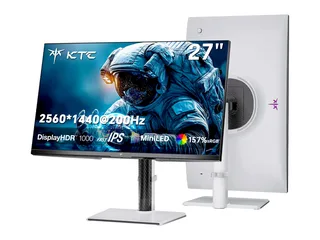
3KTC M27T6SBest budget HDR monitor for RTX 5070
Mini-LED HDR with 1,152 dimming zones at a 1440p IPS price.

Our score
- Picture quality
8.8 8.8- Gaming speed
8.2 8.2- Value
9.4 9.4
Best for: RTX 5070 owners who want real HDR at 1440p for single-player games without paying OLED prices.
KTC's M27T6S brings Mini-LED HDR to a price usually reserved for ordinary IPS monitors. Its 27-inch, 2560 x 1440 IPS panel sits on a Mini-LED backlight with 1,152 local dimming zones and carries DisplayHDR 1000 certification, and independent testing measured around 540 nits in SDR, highlights above 1,300 nits in HDR and contrast over 41,000:1 with local dimming on. It runs at 200Hz, or 210Hz overclocked, over DisplayPort, a good match for the RTX 5070 at 1440p, and it supports FreeSync and G-SYNC Compatible variable refresh rate. Unlike an OLED, it has a standard RGB subpixel layout, so text stays sharp, and there's no burn-in risk. The stand adjusts for height, tilt, swivel and pivot, and reviewers praised it at around $290.
Some users reported that it handles blooming much better than other IPS Mini-LED monitors they compared it with, though small bright objects on dark backgrounds still show a halo. KTC suggests lowering the local dimming strength if halos bother you, and a gentler preset for desktop work. Its two HDMI ports are HDMI 2.0, which limits them to 144Hz at 1440p, so use DisplayPort for the RTX 5070. For HDR gaming on a budget, it's the standout.
Reasons to buy
- Bright, punchy HDR for the price
- No burn-in risk and clear text
- Fully adjustable stand
Reasons to avoid
- Some blooming around bright objects
- HDMI 2.0 ports limit consoles and HDMI to 144Hz
- Local dimming needs tuning for desktop use
Specifications
- Screen
- 27-inch IPS with Mini-LED, 1,152 dimming zones
- Resolution
- 2560 x 1440 (QHD)
- Refresh rate
- 200Hz (210Hz overclocked) over DisplayPort
- Sync
- FreeSync and G-SYNC Compatible
- Color / HDR
- DisplayHDR 1000
- Ports
- 1x DisplayPort 1.4, 2x HDMI 2.0
Buy it if...
- You want HDR that looks like HDR Its 1,152 dimming zones and DisplayHDR 1000 rating make highlights genuinely bright in HDR games.
- You use your PC for work as well as play Its standard pixel layout keeps text sharp, and there's no burn-in risk with static windows.
Don't buy it if...
- You play mostly fast shooters The ASUS TUF Gaming VG27AQM5A reaches 300Hz.
- You want perfect blacks with no halos The Gigabyte MO27Q28G's OLED panel has no blooming at all.
Bottom line: The best-value HDR monitor for an RTX 5070: bright Mini-LED HDR at 1440p for little more than a plain IPS screen.
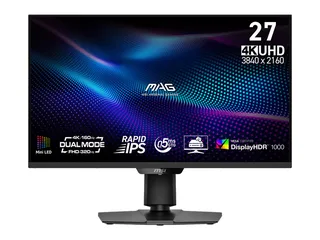
4MSI MAG 274UPDF E16MBest 4K monitor for RTX 5070
4K 160Hz or 1080p 320Hz Mini-LED with DisplayHDR 1000.

Our score
- Picture quality
8.8 8.8- Gaming speed
8.4 8.4- Value
8.2 8.2
Best for: RTX 5070 owners who want 4K sharpness for single-player games and a fast 1080p mode for shooters.
MSI's MAG 274UPDF E16M is the monitor for RTX 5070 owners who want 4K. Its 27-inch Rapid IPS panel runs at 3840 x 2160 and 160Hz, and its Dual Mode switches to 1920 x 1080 at 320Hz for competitive games, which suits a card that's happiest with DLSS at 4K. A Mini-LED backlight with 1,152 local dimming zones gives it DisplayHDR 1000 certification, with 400 nits in SDR and 1,000 nits peak in HDR, and quantum dots cover 98% of the DCI-P3 color space. It's G-SYNC Compatible and FreeSync Premium certified, and it has two HDMI 2.1 ports, DisplayPort 1.4a and a USB-C port with DisplayPort Alt Mode and 15W charging. The stand adjusts for height, tilt, swivel and pivot, and it's listed at $449.99.
Some users reported that it switches smoothly between its two modes, has run without problems for months and gives them near-OLED contrast without burn-in worries for gaming and office work. Independent testing of its pricier MPG sibling, which uses a similar Mini-LED panel, found local dimming makes SDR content look overbright, and MSI recommends turning local dimming off in SDR. That testing also found some black crush and halos with local dimming in HDR. With the RTX 5070, use DLSS in demanding games at 4K and save the 320Hz mode for shooters.
Reasons to buy
- Sharp 4K with a 1080p 320Hz mode
- Bright HDR from Mini-LED
- Height, swivel and pivot adjustment
Reasons to avoid
- Local dimming overbrightens SDR
- Some black crush and halos in HDR
- 4K needs DLSS in demanding games
Specifications
- Screen
- 27-inch Rapid IPS with Mini-LED, 1,152 zones
- Resolution
- 3840 x 2160 (4K UHD)
- Refresh rate
- 160Hz at 4K, 320Hz in 1080p Dual Mode
- Sync
- G-SYNC Compatible, FreeSync Premium
- Color / HDR
- 98% DCI-P3, DisplayHDR 1000
- Ports
- 2x HDMI 2.1, 1x DisplayPort 1.4a, USB-C (15W)
Buy it if...
- You want 4K detail in single-player games With DLSS turned on, the RTX 5070 runs many games smoothly at 4K, and this screen makes them look sharp and bright.
- You also play fast competitive games Its Dual Mode switches to 1080p at 320Hz with one button.
Don't buy it if...
- You want the highest frame rates At 1440p, the Gigabyte MO27Q28G is easier for the RTX 5070 to drive and runs at 280Hz.
- You want perfect HDR blacks An OLED avoids the halos Mini-LED shows around bright objects.
Bottom line: The 4K monitor for an RTX 5070: sharp, bright Mini-LED HDR at 160Hz, with a 320Hz mode for fast games.
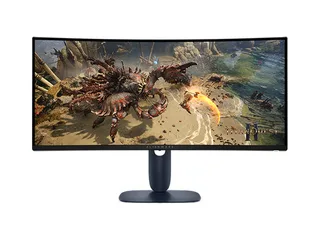
5Alienware AW3425DWMBest ultrawide monitor for RTX 5070
A curved 34-inch 3440 x 1440 VA ultrawide at 180Hz.

Our score
- Picture quality
7.8 7.8- Gaming speed
7.8 7.8- Value
9 9
Best for: RTX 5070 owners who play racing, flight and single-player games and want a wide, immersive view.
Alienware's AW3425DWM is the ultrawide to pair with an RTX 5070. Its 34-inch VA panel has a 1500R curve and a 3440 x 1440 resolution, about a third more pixels than a standard 1440p monitor, which the RTX 5070 handles well, especially with DLSS turned on. It runs at up to 180Hz, supports AMD FreeSync Premium and VESA AdaptiveSync, and its 3000:1 native contrast gives deeper blacks than IPS screens, with 95% DCI-P3 color coverage and DisplayHDR 400 certification. It has two HDMI 2.1 ports and DisplayPort 1.4, a height-adjustable stand and Alienware's AW30 design, and Dell covers it with a three-year warranty. It typically sells for under $400.
Some users reported that its on-screen menu is excellent, with lots of settings to adjust, and that its colors and blacks matched their previous IPS monitors. Others found the VA panel's smearing hard to notice in games but visible when scrolling white text in dark-mode apps. Independent testing found noticeable black smearing in fast scenes, VRR flicker and a local dimming feature in HDR that's locked on and does little to help. For immersive single-player and racing games, it's a lot of screen for the money.
Reasons to buy
- Immersive 34-inch curved ultrawide
- Deep 3000:1 VA contrast
- Height-adjustable stand and 3-year warranty
Reasons to avoid
- Black smearing in fast, dark scenes
- Weak HDR with locked local dimming
- VRR flicker in some scenes
Specifications
- Screen
- 34-inch VA, 1500R curve
- Resolution
- 3440 x 1440 (UWQHD)
- Refresh rate
- 180Hz
- Sync
- AMD FreeSync Premium, VESA AdaptiveSync
- Color / HDR
- 95% DCI-P3, 3000:1 contrast, DisplayHDR 400
- Ports
- 2x HDMI 2.1, 1x DisplayPort 1.4
Buy it if...
- You want a wider view in games Its 21:9 screen shows more of the world in racing, flight and open-world games.
- You want an ultrawide the RTX 5070 can drive 3440 x 1440 at 180Hz is well within the card's reach, especially with DLSS.
Don't buy it if...
- You play fast competitive shooters The ASUS TUF Gaming VG27AQM5A is much faster and clearer in motion.
- You want strong HDR The KTC M27T6S and MSI MAG 274UPDF E16M are far brighter in HDR.
Bottom line: The ultrawide for an RTX 5070: an immersive curved 34-inch screen at a resolution and refresh rate the card handles well.
How to choose a monitor for the RTX 5070
The RTX 5070 can drive almost any monitor, so these are the requirements and trade-offs that decide which one suits it.
RTX 5070 monitor requirements in short
The RTX 5070 has three DisplayPort 2.1b outputs and one HDMI 2.1b port. NVIDIA rates it for up to 4K at 480Hz or 8K at 165Hz with Display Stream Compression, and it can run four monitors at once. Any modern gaming monitor works with it. Use DisplayPort for the full refresh rate on most monitors, because screens with HDMI 2.0 ports, like the KTC M27T6S, can't reach their top refresh rate over HDMI.
Which resolution suits the RTX 5070?
1440p is the sweet spot. The card runs most games there at high frame rates with high settings, so a 1440p monitor between 180Hz and 300Hz gets the most from it. 4K works well with DLSS turned on, and DLSS 4 makes high refresh 4K realistic in many supported games, but very demanding games at native 4K with maximum settings will push the card and its 12GB of video memory. A 3440 x 1440 ultrawide has about a third more pixels than 16:9 1440p, so it sits between the two.
Refresh rate and DLSS 4 Multi Frame Generation
RTX 50 cards support DLSS 4 Multi Frame Generation, which generates up to three extra frames for every one the card renders. In supported games that lifts frame rates high enough to use a 240Hz or faster monitor. Generated frames make motion look smoother but don't make the game respond faster, so aim for a base frame rate of around 60 frames per second or more before turning it on, and use NVIDIA Reflex to keep input lag low.
G-SYNC Compatible and variable refresh rate
Variable refresh rate matches the monitor to the card's frame rate to stop tearing and stutter. NVIDIA cards support it on monitors with VESA Adaptive-Sync or AMD FreeSync, and monitors NVIDIA has certified as G-SYNC Compatible have been tested to work without problems. OLED and VA screens can show a slight flicker in dark scenes when the frame rate swings, which reviewers found on several monitors here.
OLED, Mini-LED, IPS or VA?
OLED monitors like the Gigabyte MO27Q28G have perfect blacks and near-instant response, but text can show colored fringes and static images carry a small risk of burn-in. Mini-LED monitors like the KTC M27T6S get very bright in HDR with no burn-in risk, but can show halos around bright objects. Fast IPS panels like the ASUS VG27AQM5A are fast and affordable but have grayer blacks, and VA panels like the Alienware AW3425DWM have deeper blacks than IPS but smear in dark, fast scenes.
HDR: what the labels mean
VESA's DisplayHDR 400 label is an entry level that adds little. DisplayHDR True Black 400 and 500 are OLED ratings for screens with perfect blacks, and DisplayHDR 1000 means a monitor can reach 1,000 nits, which Mini-LED screens use for bright highlights. For HDR games, an OLED or a Mini-LED monitor makes a real difference; most standard IPS and VA monitors don't.
How to set up your monitor with the RTX 5070
A few settings make sure the monitor runs at its full refresh rate with smooth, tear-free motion.
- Connect the monitor to the RTX 5070 with the DisplayPort cable from the box, or a certified HDMI 2.1 cable for monitors with HDMI 2.1 ports.
- In Windows, open Settings > Display > Advanced display and choose the highest refresh rate listed.
- In the NVIDIA app or NVIDIA Control Panel, turn on G-SYNC for full-screen and windowed mode, and turn on the monitor's Adaptive-Sync or FreeSync setting in its menu.
- For HDR, turn on Use HDR in Windows and run the Windows HDR Calibration app.
- In games, turn on DLSS and NVIDIA Reflex, and add Frame Generation when the base frame rate is already smooth.
Tip: With G-SYNC on, cap your frame rate a few frames below the monitor's refresh rate, either in the game or with the NVIDIA app's Max Frame Rate setting, to keep variable refresh rate active and avoid tearing.
Other monitors for the RTX 5070 we considered
-
LG 27GX700A-B
It uses the same tandem OLED panel as the Gigabyte MO27Q28G, and reviewers found the two perform almost identically, so buy whichever costs less when you shop.
-
MSI MPG 274URDFW E16M
A pricier sibling of the MAG 274UPDF E16M with a white design and a USB-C port that can charge a laptop. The picture is similar, so it's worth it only if you need those extras.
-
Alienware AW2725DF
A superb 1440p 360Hz QD-OLED for esports, but few games run fast enough on an RTX 5070 to use 360Hz without frame generation, so the MO27Q28G's 280Hz is the better match.
-
4K 240Hz OLED monitors
Stunning screens, but they cost more than the RTX 5070 itself, and the card can't run demanding games anywhere near 240 frames per second at 4K.
How we chose these monitors for the RTX 5070
We shortlisted monitors widely sold online in the resolutions that suit an RTX 5070 and compared them on picture quality, HDR performance, refresh rate, motion handling, variable refresh rate support, ports, stand adjustment and price. Specs come from the makers' official product pages and spec sheets, and the RTX 5070's display outputs from NVIDIA. We read independent reviews with lab measurements to check brightness, contrast, motion and HDR, and we add the strengths and problems users report after living with each monitor. Subscores rate picture quality, gaming speed and value; the overall score weighs picture quality and value most heavily.
Best monitor for RTX 5070 FAQs
What is the best monitor for the RTX 5070?
The Gigabyte MO27Q28G. It's a 1440p 280Hz tandem OLED, a resolution the RTX 5070 runs at high frame rates, with perfect blacks, bright HDR and near-instant response.
Is the RTX 5070 good for 4K gaming?
Yes, with DLSS turned on. DLSS 4 upscaling and Multi Frame Generation let it run many games smoothly at 4K, but the most demanding games at native 4K with maximum settings push the card hard. A 4K monitor such as the MSI MAG 274UPDF E16M also has a 1080p 320Hz mode for fast games.
Can the RTX 5070 run a 1440p 240Hz or 300Hz monitor?
Yes. In competitive games it can reach very high frame rates at 1440p, and DLSS 4 Multi Frame Generation lifts frame rates in supported single-player games. A fast processor helps here, so see our RTX 5070 CPU guide.
Does G-SYNC work on FreeSync monitors with an RTX 5070?
Yes. NVIDIA cards support variable refresh rate on monitors with VESA Adaptive-Sync or FreeSync. Turn on G-SYNC in the NVIDIA app or Control Panel. Monitors certified as G-SYNC Compatible have been tested by NVIDIA.
Should I use DisplayPort or HDMI with the RTX 5070?
DisplayPort in most cases, because it supports the full refresh rate of nearly every PC monitor. HDMI 2.1 works just as well on monitors that have it, but HDMI 2.0 ports limit 1440p monitors to about 144Hz.
How many monitors can the RTX 5070 run?
Up to four at once, using its three DisplayPort outputs and one HDMI port.
Sources
- NVIDIA: GeForce RTX 5070 family specifications
- Gigabyte: MO27Q28G OLED gaming monitor
- ASUS: TUF Gaming VG27AQM5A
- KTC: M27T6S 27-inch Mini-LED gaming monitor
- MSI: MAG 274UPDF E16M
- MSI: MAG 274UPDF E16M spec sheet
- Dell: Alienware 34 Gaming Monitor AW3425DWM
- Dell: Alienware AW3425DWM support and manuals
Update history
- First published.


